
Four modules. One live picture of the whole stack.
One data layer your ad server, your SSPs, and your partner distribution all write to — so dashboards agree with alerts agree with logs, and automation can act on what it sees.
A different kind of tool, for a different kind of job.
There’s a name for that category of tool: an . Your ad server is an ad server. Your SSP is an SSP. Your OCP is the layer that supervises both, and everything between them, and tells you when the relationship is the problem.
Automation isn’t a separate module here. It’s a thread that runs through all four: Monitoring runs autonomously; Analysis surfaces causes before you ask; Inspect streams log-level events without a query; Report refreshes against the live data layer, not a snapshot. Your operators stop firefighting and start supervising — because the platform does the firefighting first.
Category discipline, so you know what you’re buying.
- 01
An operator surface.
Built for the ad-ops and revenue-ops people who answer when something breaks, not for the analyst who writes the quarterly board deck.
- 02
A cross-system layer.
Reads from your ad server, your SSPs, your partner endpoints, your distribution feeds — and reconciles them against each other, not against a benchmark.
- 03
Instrumentation.
Detection, investigation, and autonomous action on what’s actually running. Dashboards that happen to agree with the alerts, because they’re drawn from the same picture.
- 01
Not an ad server.
We supervise FreeWheel, GAM, and Invidi. We don’t replace them.
- 02
Not a BI tool.
A dashboard describes yesterday. A Monitor wakes you up at 3am. Different jobs, different tools.
- 03
Not a point-solution dashboard.
Eight vendors each showing you their slice of the truth is the problem. One layer that reconciles them is the answer.
Four jobs, one supervising posture, automation threaded through.
Report
Dashboards drawn on the live data layer. Not last night’s snapshot.
Revenue, delivery, pacing, fill — rendered from the same source of truth the Monitors and Analysis run against. Your Monday report and your 3am alert both tell you the same story, because they come from the same picture.
time-to-truth on a revenue-variance question
Analysis
Walks the variance back to the configuration change that caused it.
When yield misses or a break doesn’t reconcile, Analysis correlates the delivered-vs-expected signal against every config, policy, and partner event in the same window — then names the probable cause.
discovery collapse on a pacing shortfall
Inspect
Log-level event stream, correlated. The receipts for everything the platform says.
When a Monitor fires or Analysis names a cause, Inspect shows the log lines, the config history, the request/response pairs, and the cross-system correlation — open, not opaque. Because evidence beats assertion.
audit-ready event history across the supervised stack
Monitoring
Autonomous agents that run the checks your team keeps meaning to set up.
Validation Monitors and the Anomaly Monitor run continuously against your ad server and your SSPs. They flag pacing drift, config drift, bid-floor errors, compliance risks — on their own schedule, against your baselines, not someone else’s benchmarks.
in production at top-tier broadcasters
The layer underneath the four modules.
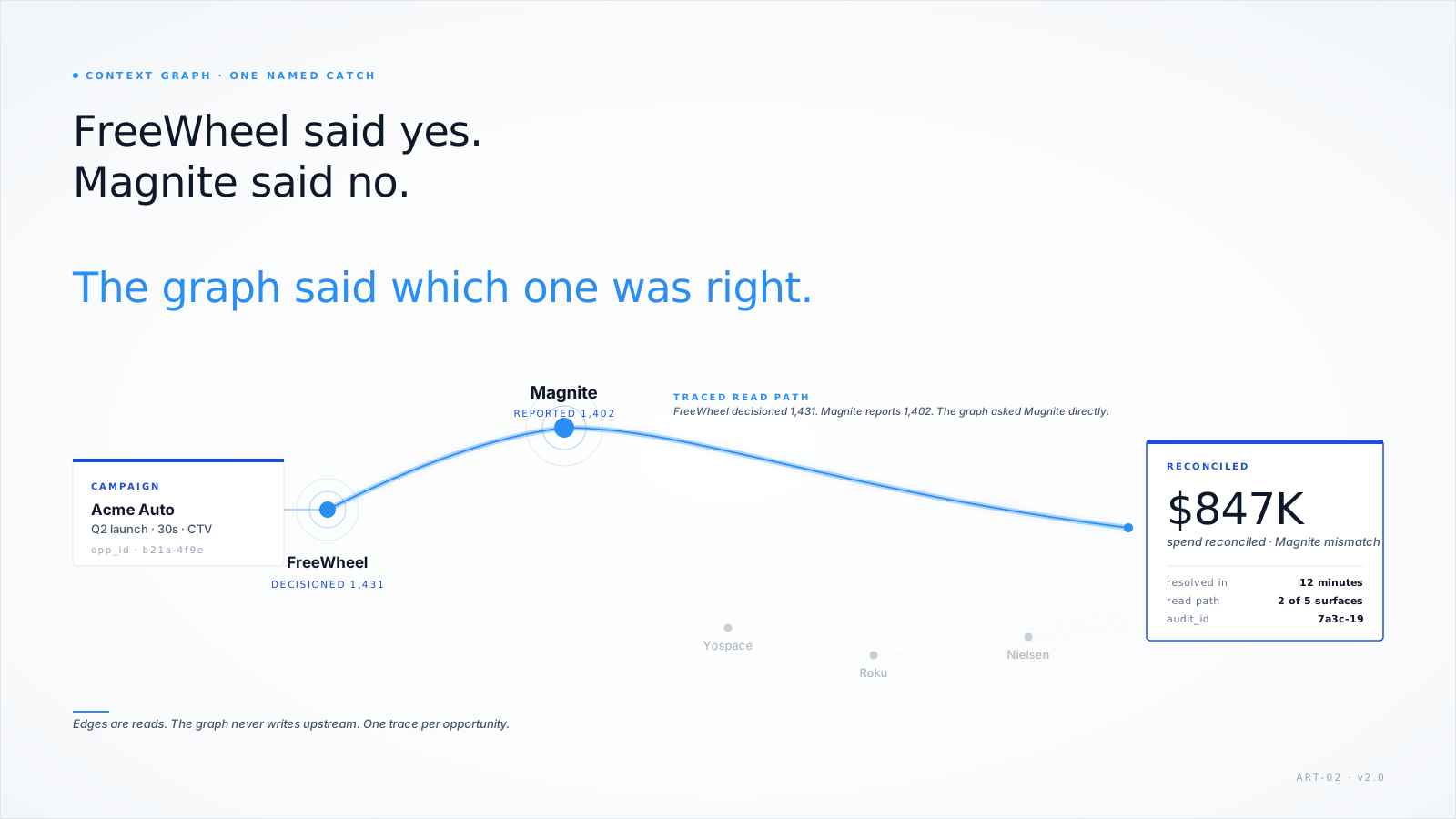
Here’s what the graph sees: every impression, every config change, every partner event, stitched into the relationships between systems. Not a visualisation of a graph — a visualisation of what a graph lets you catch that a dashboard can’t.
Static for v1. The animated path-highlight ships in the next release — and the cached demo on /ai shows the query running live.
Start with Validation Monitors.
The entry to the Platform. Three monitors free for life on any FreeWheel or GAM connection. Most customers wire their first one in under an afternoon.
Ask Claude or ChatGPT.
The Model Context Protocol entry point lets you query the live data layer directly from Claude or ChatGPT. Same data, different surface — for the operator who already works in an AI window.
Solutions.
The same platform described in the language of the work it does — confidence in every campaign, visibility across your stack, early warning on revenue risk, answers when something breaks.
Customers.
Seven operators running the platform at different shapes of scale — including A+E Global Media and New York Post, named, with case studies.
See the four modules on your own stack.
A platform walkthrough takes 30 minutes, uses your stack as the example, and leaves you with a concrete next step — whether that’s a full deployment or a single Validation Monitor.